
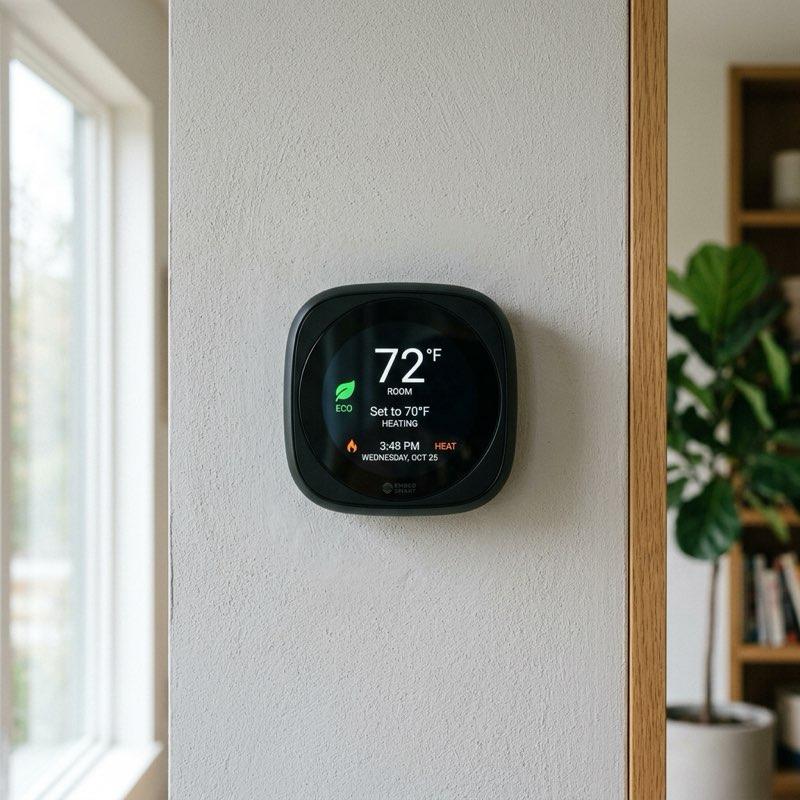
Managing home energy costs during the hot summer months is a major priority for many households. Air conditioning is often the largest source of summer electricity consumption, and running it constantly can lead to high utility bills. Fortunately, modern smart home technology offers an effective way to balance comfort with energy efficiency. By following a proper smart thermostat settings guide, you can program your cooling system to run only when needed, lowering energy waste while keeping your home comfortable. In this article, we share the best settings, schedules, and automation tips to save energy this summer.
How Smart Thermostats Save Energy
Standard thermostats maintain a single temperature all day, wasting energy by cooling an empty house. In contrast, a smart thermostat settings guide helps you take advantage of smart features like learning algorithms, geofencing, and room sensors. Smart thermostats track your daily habits and automatically adjust temperatures when you leave the house or go to sleep. According to the U.S. Department of Energy, optimizing your thermostat schedules can save you up to 10% a year on heating and cooling costs, making it a highly cost-effective smart home upgrade.
1. Configure the Optimal Summer Temperature Baseline
Finding the right baseline temperature is key to summer energy savings. Setting your air conditioner too low (e.g., 70°F) forces the compressor to run constantly, driving up energy costs. A primary recommendation in our smart thermostat settings guide is to set your baseline temperature to 78°F (26°C) when you are home and active. While this may sound warm initially, pairing it with ceiling fans makes the air feel much cooler. Every degree you raise the temperature above 72°F can save you up to 3% on your cooling bill, offering significant savings over the summer.
2. Set Up Smart Away and Vacation Modes
Cooling an empty home is a major source of energy waste. When you are at work or away on holiday, your air conditioner should not be running at its normal settings. According to this smart thermostat settings guide, you should program an “Away” temperature of 82°F (28°C) or higher. Smart thermostats like Nest or Ecobee use built-in motion sensors and smartphone geofencing to detect when the house is empty, automatically switching to Away mode. This prevents the system from wasting energy while ensuring the house cools down quickly before you return.
3. Program a Sleep Schedule for Cool Nights
Sleeping in a hot room can disrupt your sleep cycle, but running the AC at full power all night is inefficient. During the night, the outdoor temperature drops, and your body naturally cools down. A key tip in our smart thermostat settings guide is to set your bedtime temperature to 75°F (24°C) starting around 10:00 PM. Program the thermostat to raise the temperature back to 78°F at 6:00 AM. This provides a cool, comfortable environment for deep sleep while minimizing energy use during the early morning hours when cooling demand is low.
4. Integrate Smart Room Sensors for Balanced Cooling
Many homes experience uneven cooling, with upstairs bedrooms staying hot while downstairs living areas feel freezing. Running the AC to cool a hot upstairs room can overcool the rest of the house and waste energy. To solve this, this smart thermostat settings guide recommends placing wireless smart room sensors in your main areas. You can configure your smart thermostat to prioritize specific sensors based on the time of day, focusing on the living room sensor during the afternoon and the bedroom sensor at night, ensuring comfortable temperatures where you are.
5. Utilize Time-of-Use Utility Rate Integration
Many electrical companies charge higher rates for electricity during peak hours (usually weekday afternoons) and lower rates during off-peak hours (nights and weekends). To save money, integrate your utility rates with your thermostat. As outlined in this smart thermostat settings guide, you can use “pre-cooling” to cool your home to 74°F during cheaper off-peak hours. When peak rates begin, program the thermostat to raise the temperature to 80°F. Your home will stay cool from the pre-cooling, allowing you to avoid using expensive peak-rate electricity.
6. Schedule Regular Filter Change Alerts
A dirty air filter blocks airflow, forcing your air conditioning system to work harder and consume more electricity. Regular maintenance is essential for system efficiency. A simple but important tip in this smart thermostat settings guide is to enable filter change reminders in your thermostat app. Set the app to alert you every 30 to 90 days depending on your household (homes with pets require more frequent changes). Keeping a clean filter ensures optimal airflow, protects your equipment from wear, and reduces your monthly energy costs.
Summary: Smart Thermostat Configuration Checklist
Optimizing your home cooling system for summer is simple when you focus on these essential schedule configurations:
| Daily State | Recommended Staging Temperature | Energy & Comfort Purpose |
|---|---|---|
| Home & Active (Daytime) | 78°F (26°C) with ceiling fans running | Provides comfortable cooling while minimizing compressor wear |
| Away from Home (Empty) | 82°F (28°C) or higher | Prevents cooling an empty house, reducing energy waste |
| Sleeping (Bedtime) | 75°F (24°C) between 10 PM and 6 AM | Supports natural body cooling for deep, comfortable sleep |
| Peak Utility Hours | 80°F (Pre-cool to 74°F during off-peak) | Avoids using expensive electricity during peak rate hours |
| Maintenance Cycle | Change air filters every 60 days (Set App alert) | Maintains system airflow and protects heating/cooling units |
Looking ahead, adopting a proper smart thermostat settings guide helps you turn your home cooling into an efficient, automated system. By configuring a summer baseline of 78°F, setting up Away modes, scheduling cool bedtime temperatures, and using room sensors, you can enjoy a comfortable home while significantly reducing your carbon footprint and energy bills.
To learn more about optimizing your space, explore our guide on Smart Mirror Workout Home Gym Tech.
For additional tips on creating a beautiful home, read our article about Smart Home Wall Mount Control Panel Ideas.
If you are planning a renovation, you might also find our ideas on Smart Home Lighting Ideas helpful.
To discover more sustainable choices, check out our tips on Smart Home Protocols Explained.
Enhance your living space further by exploring our recommendations for Best Smart Indoor Security Cameras for Home.