
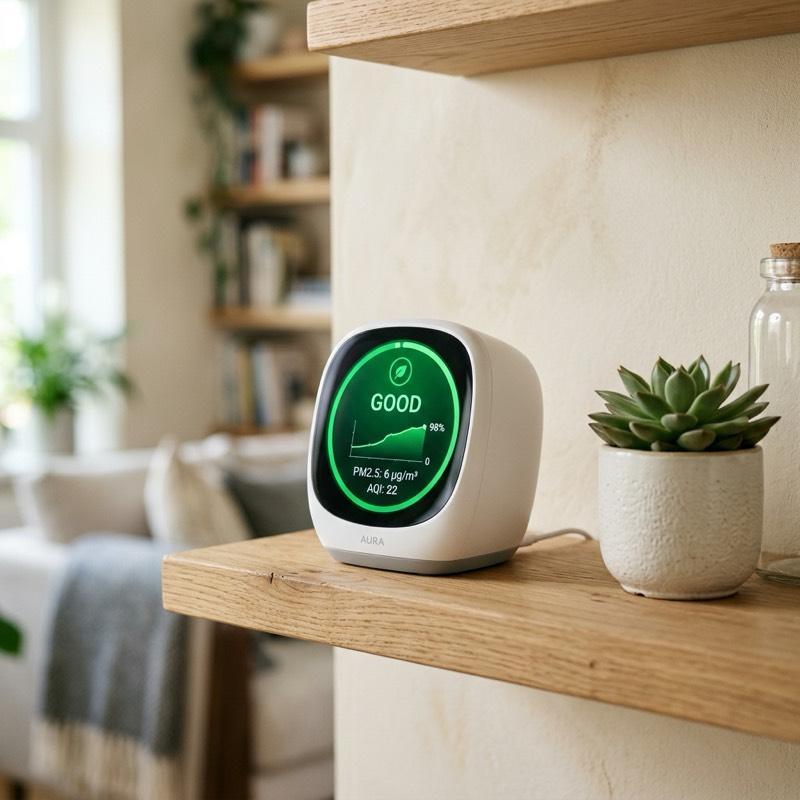
In the modern era of energy-efficient, tightly sealed homes, indoor air quality has become a critical health concern. Because newer houses are constructed to prevent drafts, they often trap airborne pollutants, dust, and chemical gases inside. Modern technology has provided homeowners with advanced tools to monitor and control what they breathe. By using this comprehensive smart air quality monitor guide, you can understand how these tiny devices detect invisible airborne threats, connect with your HVAC system, and automatically activate air purifiers to keep your family healthy.
What is a Smart Air Quality Monitor?
A smart air quality monitor is an internet-connected device equipped with specialized sensors that continuously analyze the chemical composition and physical properties of the air in your room. Unlike old-fashioned carbon monoxide detectors that only trigger a siren in emergencies, a smart air monitor tracks various everyday pollutants in real time. It sends detailed readings, historical air graphs, and alerts directly to your smartphone. By monitoring these levels, you can make informed decisions about ventilation, cleaning, and heating, turning your smart home into a protective sanctuary that automatically maintains safety.
1. Understand the Key Pollutants (PM2.5, VOCs, CO2)
To get the most out of your device, you must understand what it is measuring. The three main metrics are PM2.5, Volatile Organic Compounds (VOCs), and Carbon Dioxide (CO2). PM2.5 refers to fine particulate matter smaller than 2.5 microns, such as dust, soot, and smoke, which can enter the lungs. VOCs are chemical vapors released by household items like cleaning sprays, paints, and new furniture. CO2 rises naturally when people gather in a closed room, leading to fatigue and headaches. Knowing these pollutants allows you to identify specific sources of bad air and address them quickly.
2. Connect to Your Smart Home Ecosystem
A smart monitor is most effective when integrated into your wider smart home setup. As explained in this smart air quality monitor guide, integration is the key to automating your home comfort. Look for a monitor that supports popular smart protocols like Apple HomeKit, Google Home, Amazon Alexa, or the new Matter standard. By connecting your air monitor to these platforms, you can create automation routines. For instance, you can set the monitor to trigger a notification on your living room speaker or flash your smart light bulbs yellow when the CO2 levels exceed safe limits, warning you to open a window.
3. Set Up Automation Rules for Air Purifiers
The real power of smart monitoring is creating a closed-loop system where detection leads to automatic correction. Using your smart home app, you can create a rule that links your air monitor to a smart plug or a smart air purifier. Set the automation to run when the PM2.5 level rises above a specific threshold, turning on the air purifier to its highest fan speed. Once the monitor detects that the air has returned to a clean level, the automation can turn the purifier off. This keeps your air clean while saving electricity and reducing fan noise.
4. Place the Monitor in the Right Room
Sensor placement is critical for obtaining accurate readings. According to any smart air quality monitor guide, placement is the most common mistake homeowners make. Do not place the monitor directly next to an open window, an exterior door, or an air purifier, as these spots will give false readings of the wider room. Instead, position the monitor at breathing height (about three to five feet off the ground) on a shelf or table in the center of the room. The best rooms to monitor are the bedroom, where you spend eight hours sleeping, and the kitchen, where cooking releases high levels of PM2.5.
5. Track Humidity and Prevent Mold Growth
While tracking chemical pollutants is crucial, monitoring relative humidity is equally important for your home’s structural health. The ideal indoor relative humidity is between 30% and 50%. If the humidity drops too low, it can cause dry skin and respiratory irritation. If it rises above 60%, it creates the perfect breeding ground for mold, dust mites, and bacteria. A smart monitor will alert you when humidity levels cross these thresholds, allowing you to turn on a smart humidifier or humidifier system before mold spores start to grow on your drywall.
6. Analyze Historical Trends to Find Triggers
One of the best features of smart air monitors is their ability to log historical data over days, weeks, and months. By reviewing these graphs in the companion app, you can identify recurring patterns. For example, you might notice a sudden spike in VOCs every Tuesday afternoon, which could point to your weekly floor cleaning routine. Or, you might see CO2 levels rise overnight in your bedroom, indicating a need for a cracked door or improved ventilation. Finding these triggers helps you adjust your habits to maintain a cleaner, healthier living space.
7. Battery Power vs. Constant Plug-In Setup
When choosing a smart monitor, consider how it receives power. Battery-operated monitors are highly portable, allowing you to move them from room to room to test different areas. However, to conserve battery life, these devices often take readings less frequently (e.g., every 15 minutes) and might disable continuous Wi-Fi syncing. Plug-in monitors, while fixed to one outlet, offer continuous, real-time tracking with instant app updates. For critical areas like the nursery or the kitchen, a plug-in model is highly recommended, while a battery-operated model is great for occasional spot checks.
8. Maintenance, Calibration, and Sensor Lifespan
To ensure your air monitor remains accurate, it requires basic maintenance. Dust can settle on the sensor vents over time, blocking the airflow and skewing the readings. Periodically blow clean air or use a soft brush to clear the vents. Also, be aware that the internal sensors—especially the chemical sensors for VOCs—have a limited lifespan of about three to five years before they degrade. Many high-end smart monitors will alert you when it is time to recalibrate the device or replace the sensor cartridge, ensuring your family is always protected.
Summary: Smart Air Quality Monitor Features Checklist
Assess and select your home air monitoring hardware using this checklist compiled from our smart air quality monitor guide:
| Key Feature | Recommended Layout Option | Smart Home Purpose |
|---|---|---|
| Sensor Package | Multi-sensor tracking PM2.5, VOCs, CO2, temp, and humidity | Provides a complete overview of chemical, organic, and physical air status |
| Ecosystem Link | Apple HomeKit, Google Home, Alexa, or Matter standard | Enables cross-brand automations with air purifiers and smart plugs |
| Power Source | Constant USB plug-in for core rooms, battery for portable tests | Ensures uninterrupted real-time tracking and continuous Wi-Fi syncing |
| Alert System | App push notifications coupled with a subtle on-device LED light | Provides instant visual feedback in the room without checking your phone |
| Ideal Placement | Breathing height on a central shelf in the bedroom or kitchen | Avoids false readings from drafty windows or active purifiers |
To summarize, following this smart air quality monitor guide will help you take control of your home’s indoor environment. By investing in a high-quality multi-sensor monitor, connecting it to your smart home automation ecosystem, and placing it in a key living space, you can breathe easier knowing that your air is clean and healthy. Stay proactive, set up automated cleaning routines, and enjoy the physical comfort of a truly smart, healthy home.
To learn more about optimizing your space, explore our guide on Smart Mirror Workout Home Gym Tech.
For additional tips on creating a beautiful home, read our article about Smart Home Wall Mount Control Panel Ideas.
If you are planning a renovation, you might also find our ideas on Smart Home Lighting Ideas helpful.
To discover more sustainable choices, check out our tips on Smart Home Protocols Explained.