
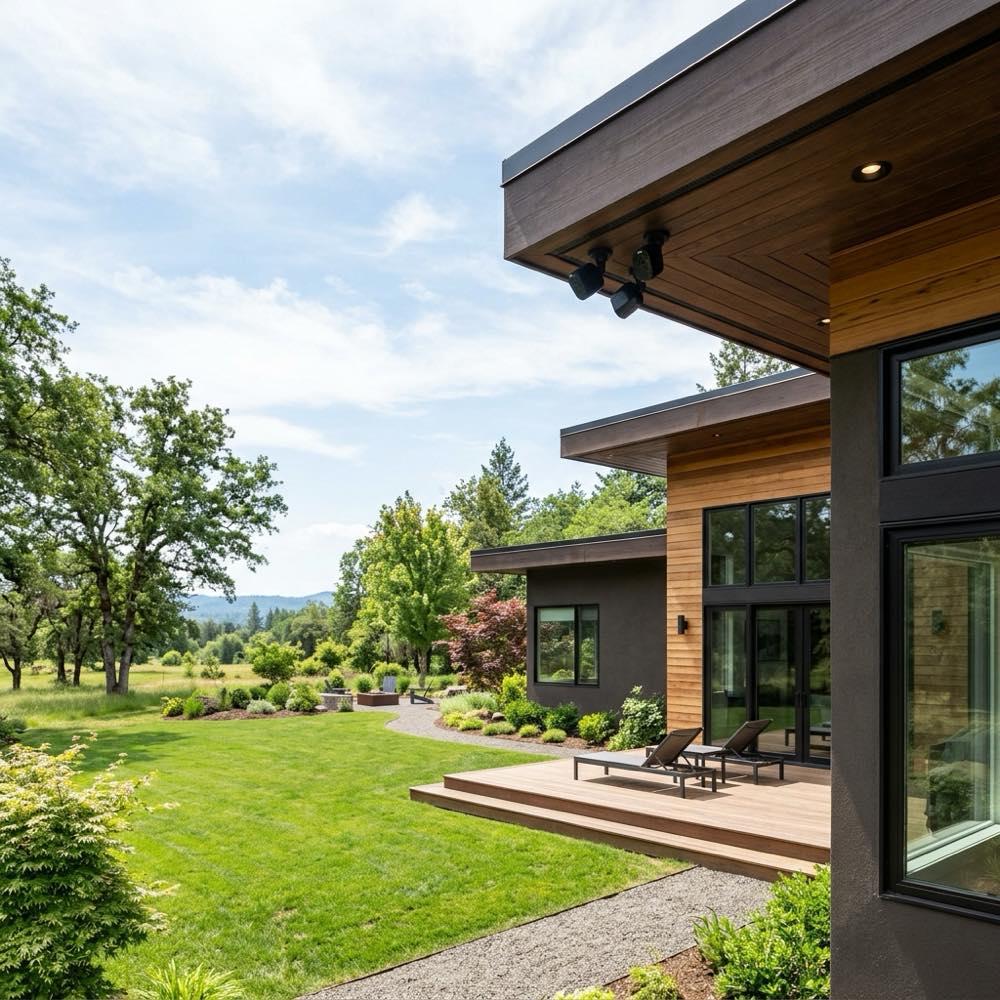
Introduction to Smart Home Surveillance
Protecting your property and ensuring the safety of your family is a top priority for every homeowner. In the past, home security systems were expensive, complicated to install, and required professional monitoring contracts. Fortunately, the rise of the Internet of Things has revolutionized residential surveillance. Today, installing smart home security cameras has become one of the most effective and affordable ways to monitor your property in real time. These advanced Wi-Fi-enabled devices allow you to check live video feeds, receive instant motion alerts, and talk to visitors from anywhere in the world using your smartphone, providing ultimate peace of mind.
The variety of choices in the market can make selecting the right system a challenge. A successful installation of smart home security cameras requires a clear understanding of your property’s layout and monitoring needs. You need to consider whether you need indoor cameras to monitor pets, outdoor cameras with weatherproof casings, or video doorbells to track package deliveries. Plus, features like video resolution, field of view, night vision capabilities, and cloud storage options play a major role in a camera’s performance. Designing a comprehensive security layout ensures that all entry points and vulnerable zones are fully covered.
The Essential Features of Modern Security Systems
When comparing different options, it is helpful to look at the core features that define the best systems. First and foremost is video resolution. High-definition video, specifically 2K or 4K resolution, is essential for capturing clear details like faces and license plates. Wide-angle lenses with a 130-degree to 160-degree field of view are also crucial, allowing a single camera to cover a large yard area without creating blind spots. High-quality night vision, either color night vision via built-in spotlights or infrared night vision, ensures clear recording in complete darkness.
Another critical feature to look for when choosing smart home security cameras is advanced motion detection. Older camera models often triggered false alarms from wind, passing cars, or moving tree branches. Modern cameras resolve this by using artificial intelligence and computer vision to distinguish between humans, animals, vehicles, and packages. This means you only receive notifications when there is an actual event that requires your attention, such as a delivery driver arriving or an intruder approaching your door, which dramatically reduces notification fatigue. This smart filtering ensures you can trust your system without being constantly interrupted by false alarms throughout the day.
Power Options: Wired vs. Battery-Powered Cameras
One of the most important decisions you will make during installation is how your cameras will be powered. Battery-powered, or wire-free, cameras offer incredible flexibility. They can be mounted anywhere, including trees, fences, and high roof overhangs, without the need to run electrical wires. These cameras use rechargeable batteries that can last anywhere from three to six months on a single charge. Many models also support small solar panel attachments, providing continuous trickle charging that eliminates the need to manually recharge the batteries. This solar backup is an excellent eco-friendly solution that makes battery-powered cameras virtually maintenance-free.
However, if you want continuous 24/7 recording, wired smart home security cameras are the better choice. Battery-powered cameras typically only record when they detect motion to conserve energy, whereas wired cameras can record constantly. Wired systems can be powered by plugging them into an outdoor electrical outlet, or by using Power over Ethernet (PoE) cables, which transmit both power and data through a single wire. This wired connection provides maximum reliability, ensuring your cameras never go offline due to a dead battery or weak Wi-Fi signal. It is the gold standard for high-security applications where constant vigilance is required.
Choosing Between Cloud and Local Storage
Where your video footage is stored is another major consideration. Most smart home brands offer cloud storage subscriptions. For a monthly fee, your recorded clips are uploaded to a secure online server, where you can view, download, and share them for up to 30 or 60 days. Cloud storage is highly convenient because it keeps your video safe even if a thief steals or destroys the physical camera. However, these subscription fees can add up over time, especially if you have multiple cameras installed around your home.
If you prefer to avoid monthly subscriptions, look for systems that support local storage. These smart home security cameras include built-in microSD card slots, or connect to a local base station with a built-in hard drive inside your home. Local storage is a cost-effective and private solution because your video files remain on your own hardware. The main drawback is that if the physical drive is stolen or damaged in a fire, you lose access to all your recorded history. Many homeowners choose a hybrid approach, using local storage as a primary backup and cloud storage for key cameras.
Optimizing Wi-Fi Connection and Range
Because these security devices rely on your home network to send video and alerts, a strong Wi-Fi signal is essential. Outdoor cameras mounted on brick or concrete walls often struggle to connect to a router located deep inside the house. A weak signal can cause delayed motion alerts, pixelated video, or disconnected feeds. To resolve this, position your wireless router in a central location, or upgrade to a modern mesh Wi-Fi network that uses multiple nodes to extend coverage to your yard.
When installing these Wi-Fi security cameras, you should also consider bandwidth usage. High-resolution video feeds can consume a significant amount of upload speed, which may slow down your overall network. To prevent this, look for cameras that use advanced video compression formats like H.265, which reduce file sizes without sacrificing video quality. You can also adjust the camera settings to lower the resolution slightly or reduce the length of recorded clips, balancing network performance with clear security video.
Smart Integrations and Voice Control
To get the most out of your surveillance system, integrate it with your broader smart home ecosystem. Popular brands connect seamlessly with systems like Apple HomeKit, Google Home, and Amazon Alexa. This integration allows you to use voice commands to view camera feeds on smart displays, such as showing the front door camera on your kitchen screen. You can also set up automation routines, such as turning on outdoor floodlights automatically when a camera detects motion at night.
Finally, focus on privacy and security. Because your cameras capture private footage of your home, it is critical to protect your account from unauthorized access. Choose brands that offer end-to-end encryption for video feeds, and always enable two-factor authentication on your security accounts. Set up privacy zones in the camera software to block out neighboring yards or public streets, ensuring your surveillance remains focused on your own property. These security steps protect your privacy while keeping your home safe.
Conclusion
Upgrading your residential security does not have to be a daunting task. Designing a system with smart home security cameras offers a highly effective, customizable, and modern solution for protecting your property. By carefully evaluating features like resolution, power sources, and storage options, you can build a reliable system that meets your specific needs. This tech-forward investment not only deters crime and keeps you connected to your home but also adds modern appeal and peace of mind to your daily life, making it a valuable addition to any modern household.
To learn more about optimizing your space, explore our guide on Smart Mirror Workout Home Gym Tech.
For additional tips on creating a beautiful home, read our article about Smart Home Wall Mount Control Panel Ideas.
If you are planning a renovation, you might also find our ideas on Smart Home Lighting Ideas helpful.
To discover more sustainable choices, check out our tips on Smart Home Protocols Explained.