
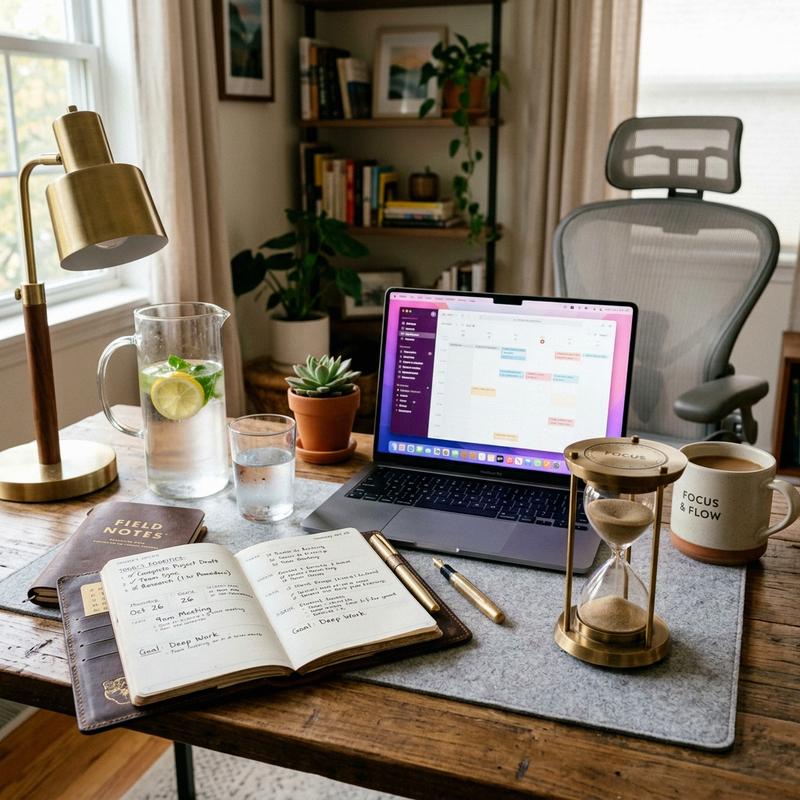
In our modern era of digital employment, remote work has transitioned from a temporary arrangement into a permanent career lifestyle. While working from home offers flexibility, it also introduces substantial challenges. Without a clear boundary between home and office, many remote workers struggle with constant distractions, cognitive fatigue, and difficulty disconnecting from work at the end of the day. As space planners and interior architects, we have designed hundreds of home offices. We know that a beautiful workspace is only half the battle. To maintain high output and avoid burnout, you must build healthy daily routines and desk habits. Exploring Work From Home Productivity Tips and practicing time blocking represents the perfect opportunity to optimize your workday. In this guide, we will explore the psychology of remote focus and detail five habit-building desk habits to improve your productivity.
The Psychology of Remote Focus: Managing Cognitive Load
To stay productive while working from home, you must understand how your environment affects your brain. In our design practice, we focus on reducing cognitive load—the mental effort required to process information and make decisions. In an office building, the physical commute and separate building serve as natural cues that tell your brain when to focus and when to relax. At home, these physical cues are missing. Without them, your brain must work harder to stay focused, leading to mental fatigue. Creating separate zones for work and rest is key to maintaining mental clarity.
One of the most effective ways to manage cognitive load is to establish a dedicated work zone. Even if you do not have a separate room, designate a specific chair, desk, or corner solely for work. Avoid working from your bed or sofa, as your brain associates these areas with relaxation and sleep. When you sit at your designated desk, your brain receives a clear signal that it is time to focus, making it easier to enter a productive state. When you leave the desk, you signal that the workday is over, helping you disconnect and relax.
Another psychological challenge of remote work is managing visual distractions. A desk facing a messy room, laundry pile, or kitchen sink forces your brain to process background clutter, draining your focus. To prevent this, position your desk facing a blank wall, styled bookshelf, or window, keeping your field of view clean. A tidy environment keeps your mind calm, organized, and ready for work, helping you maintain high productivity throughout the day.
5 Habit-Building Desk Habits for Remote Workers
1. Fixed Daily Schedules and Morning Transition Rituals
Establishing a fixed daily schedule is essential for maintaining structure when working from home. Without set office hours, it is easy for work to bleed into your evenings, or for household chores to disrupt your mornings. Set a consistent start and end time for your workday, and stick to it. This structure helps you manage your time and prevents burnout.
To start your day focused, design a morning transition ritual that simulates a physical commute. Before sitting at your desk, take a thirty-minute walk outside, listen to a podcast, or enjoy coffee away from your computer. This transition time allows your mind to shift from home mode to work mode. When you return, sit at your desk and start your work immediately, keeping your mornings structured and productive. Brands like Barisieur offer alarm clocks that brew coffee at your bedside, creating a pleasant morning transition.
2. Time Blocking and Structured Pomodoro Work Cycles
Time blocking is a highly effective time-management technique where you divide your workday into distinct blocks of time, with each block dedicated to a specific task. Rather than checking email constantly and multitasking, focus on one task during its block. This focused approach prevents distraction and improves output.
To maintain high focus, use the Pomodoro Technique: work for twenty-five minutes, then take a five-minute break. After four cycles, take a longer fifteen-minute break. Use a physical, analog timer on your desk, such as a brass hourglass or the Time Timer Mod, rather than your phone. A physical timer provides a visual indicator of time passing without introducing the digital distractions of phone notifications, keeping your mind focused on the task.
3. Desk Setup Decluttering and End-of-Day Shutdown Routines
A cluttered desktop leads to a cluttered mind. To keep your workspace organized, practice a strict “Five-Minute Clean Desk Policy” at the end of every workday. Clear all coffee cups, loose papers, and notes off your writing surface. Place your keyboard and mouse under your monitor, and store your pens and notebooks inside your desk drawers.
Combine this clean desk policy with a formal “End-of-Day Shutdown Routine.” Close all computer tabs, check your calendar for the next day, and write down your top three tasks for tomorrow on a physical notepad, such as the Appointed Daily Planner. Then, turn off your monitors and walk away from your desk. This physical and mental shutdown routine helps you disconnect from work, prevents evening stress, and ensures a fresh start the next morning.
4. Scheduled Micro-Breaks and Hydration Habits
Sitting at a desk for hours without moving slows your circulation, tightens muscles, and drains your energy. To stay focused and healthy, schedule short micro-breaks every hour. Stand up, stretch your arms, walk around the room, or look out a window for two minutes to rest your eyes, keeping your body active and refreshed.
Combine your micro-breaks with a healthy hydration habit. Place a premium glass water pitcher and matching tumbler, like the Soma Water Pitcher, directly on your desk every morning. Drink a glass of water during every break to stay hydrated. Proper hydration prevents fatigue, improves brain function, and encourages regular micro-breaks, keeping your mind sharp and your body comfortable throughout the day.
5. Physical Boundaries and Closing the Door Policy
If you share a home with family, roommates, or pets, interruptions can frequently disrupt your focus. Establishing clear physical boundaries is essential for protecting your work hours. If you have a separate office, use a simple “Closed Door Policy”: when the door is closed, you are in a meeting or focusing deeply and should not be disturbed.
If you work in a shared space, use a visual indicator to show when you are busy. Place a small, red sign or a smart light, like the Luxafor Bluetooth Busy Light, on your desk or door frame. Program the light to turn red when you are on a call or focusing, and green when you are available. This simple visual boundary prevents interruptions and helps your family respect your work hours, keeping your workspace quiet.
Comparison: Digital Time Trackers vs. Analog Focus Tools
| Focus Tool Category | Digital Apps (Toggl, Phone Timers) | Analog Tools (Hourglass, Planners) |
|---|---|---|
| Distraction Risk | High (notifications, app switching) | None (offline, tactile focus) |
| Tactile Experience | Low (tapping screen) | High (turning hourglass, writing on paper) |
| Visual Appeal | Standard screen graphics | High (brass, glass, and paper design) |
| Cognitive Friction | Requires logging in and updating | Simple and immediate physical use |
A Step-by-Step Guide to Planning Your WFH Day
To plan your WFH day like a professional, follow this simple four-step process. First, write down your top three priorities for the day on a paper planner before checking email. Second, divide your workday into two-hour blocks, dedicating each block to a specific priority. Third, use a physical hourglass to run twenty-five minute Pomodoro focus cycles, taking short five-minute breaks in between to stand and hydrate. Finally, complete your end-of-day shutdown routine by cleaning your desk and listing tomorrow’s tasks. Adjusting these steps daily guarantees a healthy, productive remote work routine.
Once your daily schedule is established, track your progress. Check if you completed your priority tasks and identify any distractions that disrupted your focus. Adjust your time blocks to give complex tasks more space. By planning every detail of your day, you can design a highly productive home office routine that protects your work-life balance and helps you succeed.
Frequently Asked Questions
1. How do I start my WFH day focused without a commute?
To start your day focused, design a morning transition ritual that simulates a physical commute. Take a thirty-minute walk outside, listen to a podcast, or enjoy coffee away from your computer, allowing your mind to shift from home mode to work mode.
2. What is the Pomodoro Technique and how does it help focus?
The Pomodoro Technique is a time-management method where you work for twenty-five minutes, then take a five-minute break. This cycle helps prevent cognitive fatigue, keeps your mind fresh, and encourages regular micro-breaks throughout the day.
3. Why is a physical timer better than a phone timer?
A physical timer, like a brass hourglass, provides a visual indicator of time passing without introducing the digital distractions of phone notifications. Using a physical tool prevents you from picking up your phone and losing focus on your work.
4. How do I set boundaries with family members while working from home?
Set boundaries by using a simple “Closed Door Policy” or a visual indicator like a smart busy light on your desk. Program the light to turn red when you are in a meeting or focusing, showing others that you should not be disturbed.
5. What is the benefit of a paper planner over digital apps?
A paper planner offers a tactile writing experience that improves memory and focus. It keeps your tasks visible on your desk without the need to open digital apps, reducing screen time and preventing digital distractions.
6. How do I prevent eye strain during long WFH hours?
To prevent eye strain, practice the 20-20-20 rule: every twenty minutes, look at an object twenty feet away for twenty seconds. This rests your eye focus muscles. Also, use a monitor light bar to illuminate your desk without casting screen glare.
7. What is an end-of-day shutdown routine?
An end-of-day shutdown routine includes closing computer tabs, checking tomorrow’s calendar, writing down your top three tasks, cleaning your desktop, and turning off your monitors, helping you mentally disconnect and enjoy your evening.
8. How often should I take standing micro-breaks?
We recommend taking a short standing micro-break every hour. Stand up, stretch your arms, walk around the room, or look out a window for two minutes, helping improve blood circulation, relieve muscle tension, and restore your energy.
9. Can a clean desk policy improve productivity?
Yes, a clean desk policy reduces visual clutter, which decreases cognitive load and helps your brain focus on a single task. Clearing your desk at the end of the day also ensures a fresh, stress-free start the next morning.
10. How do I stay hydrated while working from desk?
Place a premium glass water pitcher and matching tumbler directly on your desk every morning. Drink a glass of water during every micro-break. Having water visible on your desk serves as a constant reminder to stay hydrated.
To learn more about optimizing your space, explore our guide on Smart Home Tech for Seniors.
For additional tips on creating a beautiful home, read our article about Non-Slip Flooring Solutions.
If you are planning a renovation, you might also find our ideas on Wheelchair Accessible Bathroom Design helpful.
To discover more sustainable choices, check out our tips on Grab Bars and Safety Features.